
9 Best Free AI Chatbots for Students in 2026
Discover 9 free AI chatbots for students in 2026. Get help with homework, research, writing, and revision using the best free AI tools for learning.
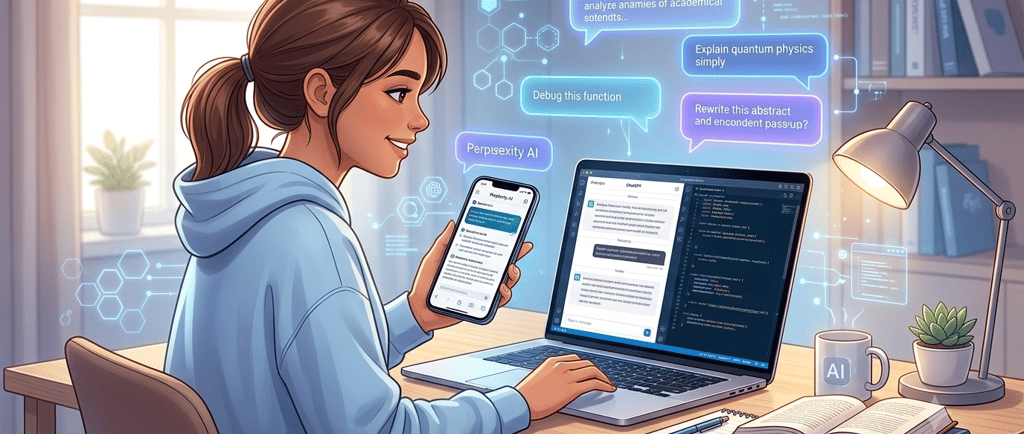
Being a student in 2026 is an exciting journey, especially with technology evolving so rapidly. Between managing assignments, preparing for exams, and trying to understand complex topics, your daily to-do list can feel overwhelming. Fortunately, finding the right study assistant doesn't have to cost a fortune. Today, free AI chatbots for students are more capable than ever, serving as highly accessible, 24/7 digital tutors.
In this complete guide, we will break down the top free AI tools available this year to help you with homework, research, writing, and revision. Best of all, we are focusing entirely on tools that offer excellent free tiers, so you can level up your grades without spending a single rupee.
What AI Chatbots Can Help With
AI chatbots are no longer just for generating random text; they have evolved into versatile study companions. Here is how you can use them to streamline your daily academic routine:
Homework Help: Stuck on a complex math problem or a confusing coding bug? Drop it into a chatbot to get a step-by-step breakdown of the solution.
Explaining Difficult Topics: If a lecture concept isn't clicking, you can ask an AI to explain it to you "like I'm a five-year-old" or request a practical, real-world example.
Summarizing Notes and Articles: Instead of spending hours reading through a massive research paper, use AI to extract the key points, core arguments, and critical takeaways in seconds.
Writing Ideas and Outlines: Beat writer's block by using AI to brainstorm essay topics, structure your research papers, or generate creative writing prompts.
Practice Questions and Revision: Paste your study notes into a chatbot and ask it to quiz you, generate flashcard content, or create a mock exam to test your readiness.
Best Free AI Chatbots for Students
1. ChatGPT
Best for: General writing, everyday homework help, and coding support.
Free Plan Details: Free access to the standard GPT models with occasional, standard-tier availability of advanced logic features.
Pros: Incredible at conversational writing; highly intuitive interface; vast community support.
Cons: The free tier can experience slower response times during peak hours.
Best Student Use Case: Use it to generate structured outlines for your term papers or to debug your programming assignments step-by-step.
2. Google Gemini
Best for: Real-time research, smooth integration with Google Workspace, and up-to-date facts.
Free Plan Details: Completely free access to Gemini's highly capable standard model with seamless web connectivity.
Pros: Accesses current Google Search data instantly; directly exports text to Google Docs or Gmail.
Cons: Can occasionally lean too heavily on surface-level web summaries for incredibly deep academic topics.
Best Student Use Case: Paste a link to a long online article and ask Gemini to create a concise bulleted summary directly inside your study drive.
3. Claude
Best for: Deep analysis, advanced reading comprehension, and highly sophisticated writing.
Free Plan Details: Free access to the standard Claude model tier with dynamic hourly message limits.
Pros: Exceptional at mimicking a natural, academic tone; unmatched at analyzing long, complex reading assignments.
Cons: Free message limits can run out quickly during heavy, back-to-back study sessions.
Best Student Use Case: Upload a dense historical text or literature chapter and ask Claude to break down the underlying themes and character motivations.
4. Perplexity
Best for: Deep academic research, finding source citations, and fact-checking.
Free Plan Details: Unlimited standard search queries with comprehensive inline citations.
Pros: Functions like a supercharged search engine; always links to its sources; minimizes factual errors.
Cons: Not optimized for creative writing or open-ended, casual brainstorming.
Best Student Use Case: Perfect for finding high-quality web sources and verified statistics when starting a major research paper.
5. Microsoft Copilot
Best for: Generating presentations, creating study diagrams, and organizing files.
Free Plan Details: Free access built into Windows and via the web/mobile apps, utilizing advanced processing engines.
Pros: Includes a free AI image generator; excellent web-browsing capabilities; toggle settings for creative or precise answers.
Cons: Interface can occasionally feel cluttered due to heavy integration with Microsoft features.
Best Student Use Case: Use it to brainstorm creative visual layout concepts for your next group presentation slides.
6. Poe
Best for: Testing and jumping between multiple different AI models in one place.
Free Plan Details: Daily free point allocation system to chat with various standard and customized bots.
Pros: Access ChatGPT, Claude, and unique user-made bots under a single dashboard.
Cons: High-end models consume daily points very quickly, forcing you back to standard models.
Best Student Use Case: Use the platform to compare how ChatGPT and Claude answer the exact same difficult essay prompt to pick the best perspective.
7. You.com
Best for: Highly customized, multi-source academic research and coding projects.
Free Plan Details: Free standard searches with web access and basic generation modes.
Pros: Great interface that lays out web sources alongside the chat; specific modes for different tasks.
Cons: Advanced, specialized AI modes require a premium subscription tier.
Best Student Use Case: Use its specialized research mode to gather conflicting view points for a formal debate assignment.
8. Pi AI
Best for: Stress management, talk therapy, and friendly verbal study support.
Free Plan Details: 100% free with unlimited conversational access.
Pros: Incredibly empathetic, conversational tone; great voice features for hands-free learning.
Cons: Lacks advanced tools like file uploads, document analysis, or specialized coding logic.
Best Student Use Case: Talk through your pre-exam anxiety or use it as a conversational partner to verbally practice a speech.
9. DeepSeek
Best for: Hard mathematics, data analysis, and technical science problems.
Free Plan Details: Free access to its core chat models via web and mobile interfaces.
Pros: Highly efficient logic capabilities; completely free standard tier; excellent performance in technical fields.
Cons: Interface is stripped-back and lacks polished productivity integrations like Google or Microsoft have.
Best Student Use Case: Drop an advanced calculus problem or a complex data chart into the chat and ask it to explain the logic behind the solution.
Which Chatbot Should Students Choose?
Choosing the right tool depends entirely on what is sitting on your desk tonight:
Best for homework help: ChatGPT or DeepSeek for clear, step-by-step breakdowns of technical assignments.
Best for research: Perplexity, because it gives you the exact source links required for your bibliographies.
Best for writing and brainstorming: Claude, due to its uniquely natural tone and sophisticated phrasing.
Best for revision and summaries: Google Gemini, as it can instantly pull information from massive online documents and send summaries straight to your Google Docs.
Best for simple everyday study support: Pi AI, for when you just need a friendly conversational tutor to explain concepts without overcomplicating things.
Tips for Using AI Chatbots Safely
While these tools are incredibly powerful, you must use them smartly to keep yourself out of trouble:
Don’t copy answers blindly: Plagiarism tools and teachers can spot pure AI text easily. Treat AI like a friendly tutor, not a ghostwriter.
Always check facts: AI chatbots can "hallucinate"—meaning they confidently invent incorrect facts, dates, or formulas. Double-check important details against your textbook.
Use AI to learn, not replace learning: Use the chatbot to explain how to get to an answer, so you can successfully replicate that logic on your final exams where phones aren't allowed.
Keep personal information private: Never upload personal identifying information, school IDs, or sensitive passwords into any public AI tool.
Check school rules about AI use: Every institution has specific guidelines. Make sure you know what your school permits before using AI on a graded assignment.
FAQ
Are free AI chatbots good enough for students?
Yes, absolutely! The free versions of tools like ChatGPT, Gemini, and Perplexity utilize incredibly powerful models that are more than capable of handling high school and college-level research, writing, and math problems.
Which AI chatbot is best for homework?
For technical homework like math, physics, or coding, ChatGPT and DeepSeek are exceptional. For humanities assignments or research papers requiring source verification, Perplexity is the top choice.
Can AI chatbots help with essays?
Yes, but they should be used as assistants. They are brilliant at generating essay outlines, brainstorming unique thesis angles, and proofreading your grammar. Avoid asking them to write the entire essay for you.
Are AI chatbots safe to use for school?
They are completely safe as long as you treat them as learning tools. Always verify their outputs with your course materials and ensure your use aligns with your specific school's academic integrity policy.
Conclusion
Embracing free AI chatbots for students can completely transform how you approach your education in 2026. Whether you are using Perplexity to source academic references, Claude to polish your writing tone, or DeepSeek to conquer tough math problems, these tools provide an incredible advantage.
The secret to success is choosing the specific tool that fits your immediate study needs and using it responsibly to enhance your own critical thinking. Head over to a few of these platforms, give them a spin on your next assignment, and find your perfect digital study partner!