
AI Productivity Tools for Students: Study Smarter, Not Harder
Discover the best free AI tools for students in 2026 for studying, writing, research, note-taking, and productivity.
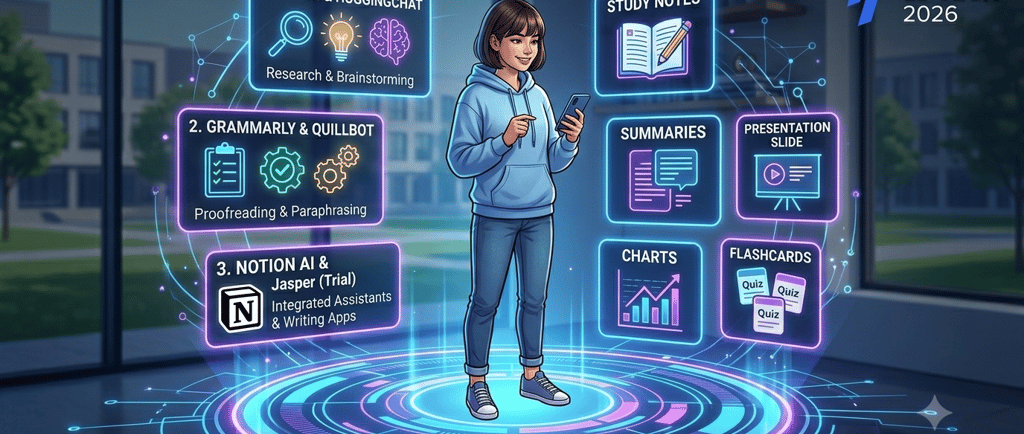

Balancing lectures, assignments, exam preparation, and a social life can feel completely overwhelming. Fortunately, the academic landscape is shifting fast. In 2026, smart technology is completely transforming the way students study, making it easier to break down complex topics and manage heavy workloads.
However, as a student, you shouldn't have to break the bank to build a solid study toolkit. That is why this post focuses entirely on free AI tools for students (or generous free-tier options) that can save you hours of work each week.
Read on for a simple, no-nonsense breakdown of the best free AI tools for students, what they do best, and how to pick the right tool for your specific academic needs.
Why Students Use AI Tools
Modern academic demands require efficiency. Successful students are increasingly turning to digital assistants not to take shortcuts, but to enhance their learning process:
Save time on research and writing: Sifting through endless search results or staring at a blank page can drain your energy. AI streamlines the initial brainstorming and filtering process.
Understand difficult topics faster: When a textbook explanation feels like a foreign language, AI can rephrase it into plain, simple terms.
Organize notes, tasks, and deadlines: Keeping track of multiple courses requires robust organization, which smart tools can help automate.
Improve productivity and study consistency: AI can generate custom practice quizzes, flashcards, and schedules to keep you on track.
Create presentations and summaries more easily: Turning rough notes into beautiful slide decks or concise summaries no longer takes all night.
Best Free AI Tools for Students
1. NotebookLM
What it is best for: Creating hyper-focused, personalized study hubs from your course materials.
Free plan or access details: Completely free to use with a Google account.
Pros: It strictly references the documents you upload, which dramatically minimizes the risk of incorrect facts or "hallucinations." It can even generate an interactive audio briefing (like a mini-podcast) based on your notes.
Cons: It is limited to the context of your uploaded files and cannot browse the live, general internet for external facts.
Best use case for students: Uploading a dense semester syllabus and a mountain of messy lecture notes to instantly generate an interactive, customized exam study guide.
2. Google Gemini
What it is best for: Real-time web research, complex brainstorming, and direct integration with your daily workspace apps.
Free plan or access details: Free access to standard advanced reasoning models with a Google account.
Pros: Incredible processing speeds, direct access to up-to-date live internet data, and the ability to seamlessly export text directly to Google Docs or Gmail.
Cons: The writing style can occasionally sound overly conversational, requiring specific prompting to match a strict academic tone.
Best use case for students: Asking it to break down a highly technical scientific concept into a simple analogy, or using it to map out a comprehensive essay outline.
3. ChatGPT
What it is best for: Versatile text generation, general brainstorming, and step-by-step coding and logic assistance.
Free plan or access details: Free access to the base model with an open account.
Pros: Highly intuitive chat interface, excellent contextual memory within conversations, and a massive repository of general knowledge.
Cons: The free tier may experience temporary limits or slower response speeds during peak global usage hours.
Best use case for students: Overcoming writer's block by asking the model to brainstorm five creative, strong thesis statements for a literature essay.
4. Grammarly
What it is best for: Proofreading essay drafts, fixing grammar mistakes, and polishing your writing tone.
Free plan or access details: Free basic plan available for web browsers, desktop apps, and mobile devices.
Pros: Seamless, real-time corrections as you type across almost every website, document editor, and application.
Cons: Advanced structural suggestions, vocabulary enhancements, and deep stylistic edits are locked behind the premium subscription.
Best use case for students: Running a quick, comprehensive final check over your completed research paper right before submission to catch careless typos.
5. QuillBot
What it is best for: Rephrasing clunky sentences, summarizing lengthy articles, and avoiding repetitive language.
Free plan or access details: Free basic access with daily word and character limits.
Pros: Fantastic for expanding your vocabulary and finding alternative ways to clearly express a complex, dense academic argument.
Cons: Character limits on the free plan mean you have to copy and paste your text section by section rather than processing an entire document at once.
Best use case for students: Rewriting a complex block of technical jargon in your own words to ensure your essay flows smoothly and naturally
.
6. ChatPDF
What it is best for: Chatting directly with academic papers and quickly extracting critical information from PDFs.
Free plan or access details: Free tier allows you to upload 2-3 PDF documents per day up to a certain page count.
Pros: Instantly extracts key findings, methodologies, and definitions without forcing you to manually skim through dozens of dry pages.
Cons: Rigid file size and page count restrictions mean it might struggle with massive, full-length textbooks.
Best use case for students: Dropping a 30-page journal article into the tool to instantly extract the core conclusion and data points for a literature review.
7. Gamma AI
What it is best for: Automatically generating visually stunning presentation decks and webpage layouts.
Free plan or access details: Free tier provides a generous allowance of initial credits to create and edit designs.
Pros: Drastically cuts down the hours spent manually formatting fonts, alignment, colors, and slide layouts.
Cons: Free exports include a small Gamma watermark in the corner of your final presentation slides.
Best use case for students: Pasting your rough presentation notes into the tool to instantly generate a clean, professional visual slide deck for a group project.
Which Tool is Best for Which Task?
Best for studying and revision: NotebookLM. It creates a secure, closed sandbox of your actual lecture notes, making it the most accurate tool for studying course-specific material.
Best for writing: ChatGPT or Google Gemini for structural planning, followed by Grammarly and QuillBot to refine sentence flow and fix errors.
Best for research: Google Gemini (for sweeping the live web for facts) and ChatPDF (for breaking down individual scientific articles).
Best for presentations: Gamma AI. It handles the visual design entirely so you can focus entirely on your speech
.
Tips for Using AI Tools Wisely
Don’t depend on AI for everything: AI is an incredible co-pilot, but you are still the pilot. Relying on it completely weakens your own critical thinking and core problem-solving skills.
Check facts before submitting work: Large language models can confidently make mistakes or fabricate fake references. Always double-check definitions and statistics against your official course textbook.
Use AI to support learning, not replace learning: Use these tools to explain confusing concepts or quiz you on content, rather than asking them to write your assignments from scratch.
Keep personal information private: Never upload highly personal data, private identifications, or sensitive financial details into public AI prompt boxes.
Check your school’s AI policy: Academic integrity rules vary wildly between universities and professors. Ensure your usage aligns strictly with your department's specific guidelines to avoid penalties.
FAQ
Are free AI tools enough for students?
Yes! For the vast majority of everyday academic tasks—like summarizing lecture notes, fixing grammar, brainstorming essay outlines, and studying—the free plans of tools like Gemini, NotebookLM, and Grammarly are incredibly powerful and more than enough.
Which AI tool is best for homework?
It depends on the task. For heavy reading assignments and dense research papers, ChatPDF or NotebookLM are best. For logic, coding, or mapping out an essay structure, Google Gemini or ChatGPT provide the best step-by-step guidance.
Can AI tools help with presentations?
Absolutely. Tools like Gamma AI allow you to paste in your rough topic notes and automatically transform them into a beautifully formatted, professional presentation deck in just a few seconds.
Are AI tools safe for school use?
They are completely safe as long as they are used ethically as an educational study aid. Always verify facts for correctness, keep personal details private, and ensure you aren't violating your institution's specific academic honesty policies.
Conclusion
Embracing free AI tools for students can dramatically lower your academic stress, making it easier to keep your notes organized and faster to understand complex subjects. However, true academic success still relies on your personal effort, curiosity, and critical thinking. By choosing the right tool for the right task and using it responsibly, you can supercharge your productivity and study smarter all year long!